
Download 3CX – Secure, Feature-Rich Communication App for Remote Teams
3CX is a premium private communication platform that empowers enterprises to connect employees across devices with secure, high-quality messaging, calling, and video conferencing. Designed as a mobile companion to the powerful 3CX V18 platform, this app enables seamless remote collaboration for organizations with distributed teams. Whether you're working from home, traveling, or in the office, 3CX ensures you stay connected with your colleagues through a unified communication experience.
With support for VoIP technology, real-time synchronization with office extensions, and a user-friendly interface, 3CX brings enterprise-grade communication directly to your smartphone. While the app itself is free to download, it requires a subscription to the 3CX V18 platform to function. This makes it ideal for businesses using 3CX as their central communication hub.
The app supports both Android and iOS devices, ensuring broad compatibility for modern workforces. With features like QR code authentication, status visibility, and automatic sync, 3CX enhances productivity and keeps remote workers engaged. For organizations seeking a reliable, secure, and scalable solution to replace traditional phone systems, 3CX stands out as a top-tier choice.
Why 3CX Is a Game-Changer for Remote and Hybrid Workforces
As remote and hybrid work models continue to dominate the modern workplace, businesses need robust communication tools that offer both reliability and scalability. 3CX rises to this challenge by delivering a secure, enterprise-grade mobile experience that mirrors the full capabilities of its desktop counterpart. The app is not just a simple messaging tool—it’s a comprehensive extension of your organization’s internal communication infrastructure. Once installed, users can scan a QR code from the 3CX web client to authenticate and link their mobile device to the corporate network. This streamlined setup ensures that users gain immediate access to all communication channels, including instant messaging, voice calls, and HD video conferences.
One of the standout features of 3CX is its use of Voice over IP (VoIP) technology, which delivers crystal-clear audio even on moderate internet connections. This is particularly beneficial for remote employees in areas with inconsistent bandwidth. The app also syncs with your office phone extensions, meaning you can receive calls on your mobile device just as if you were at your desk.
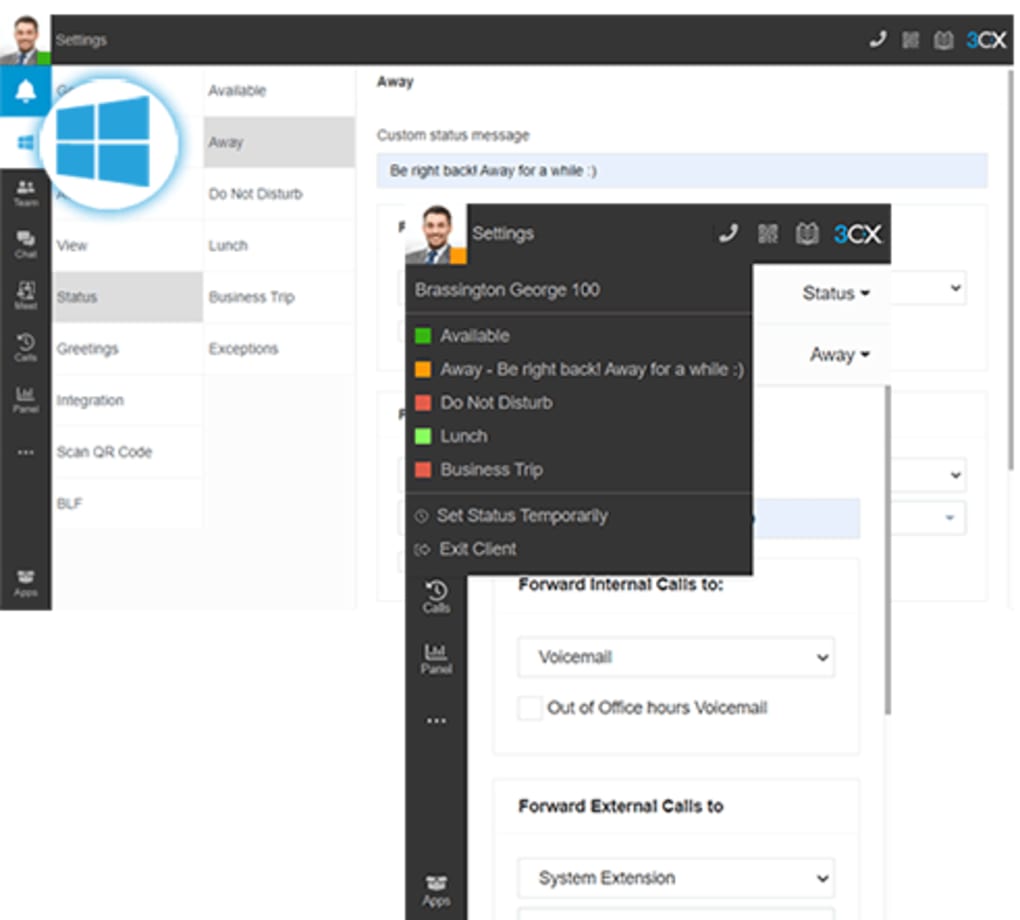
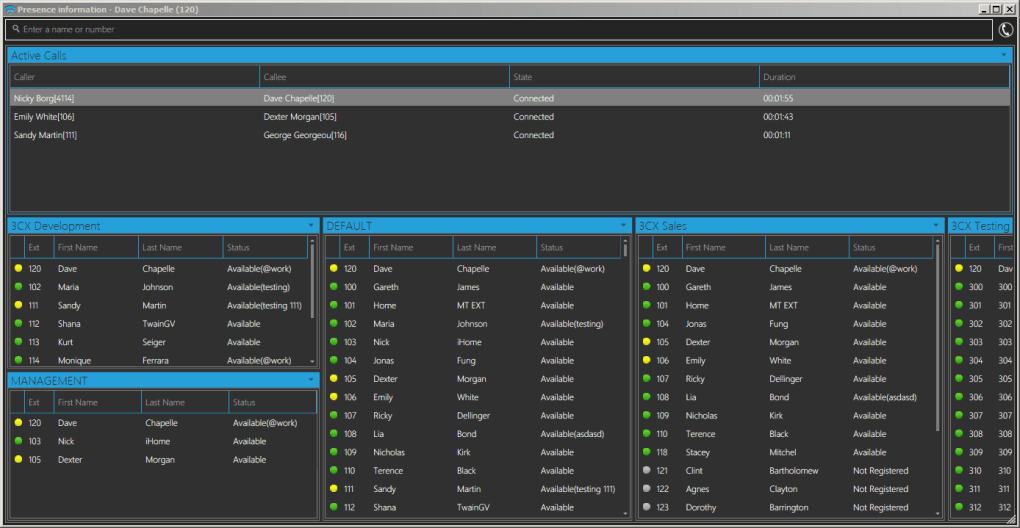
You can even change your status—available, busy, away, or offline—to keep colleagues informed about your availability. This level of integration reduces communication delays and enhances team responsiveness. Furthermore, the app enforces a “presence” system that helps teams stay aware of each other’s availability, improving collaboration efficiency.
For organizations with strict compliance or security requirements, 3CX offers end-to-end encryption for messages and calls, ensuring sensitive business data remains protected. The platform is also designed to prevent unauthorized access, with automatic deactivation after seven days of inactivity. This policy encourages consistent engagement while safeguarding system integrity. Overall, 3CX is more than a mobile app—it’s a strategic tool that supports modern work culture by enabling seamless, secure, and efficient communication across borders and time zones.
Key Features and Capabilities of the 3CX Mobile App
The 3CX mobile app is packed with enterprise-level features that make it a must-have for teams relying on real-time communication. These features are not just convenient—they’re designed to boost productivity, streamline workflows, and reduce dependency on multiple communication tools. One of the most powerful aspects is the full integration with the 3CX V18 platform, which allows users to access their entire office phone system from a mobile device. This includes direct dialing, call forwarding, call parking, and voicemail retrieval—functions that were once limited to desk phones.
Communication is fully unified: you can send instant messages, initiate voice or video calls, and even create group chats—all within a single, intuitive interface. The app supports high-definition video calling, making virtual meetings feel natural and professional. It also automatically syncs your calendar and contact list from the central system, so you never miss an important meeting or lose a key contact. Another notable feature is the ability to customize your profile status, which helps team members understand your availability at a glance. Whether you're in a meeting, on a break, or available for a quick call, your status updates in real time.
Security is built into every layer of the app. 3CX uses end-to-end encryption for all messages and calls, ensuring that sensitive conversations remain private. The app also supports two-factor authentication and secure login via QR code, minimizing the risk of unauthorized access.
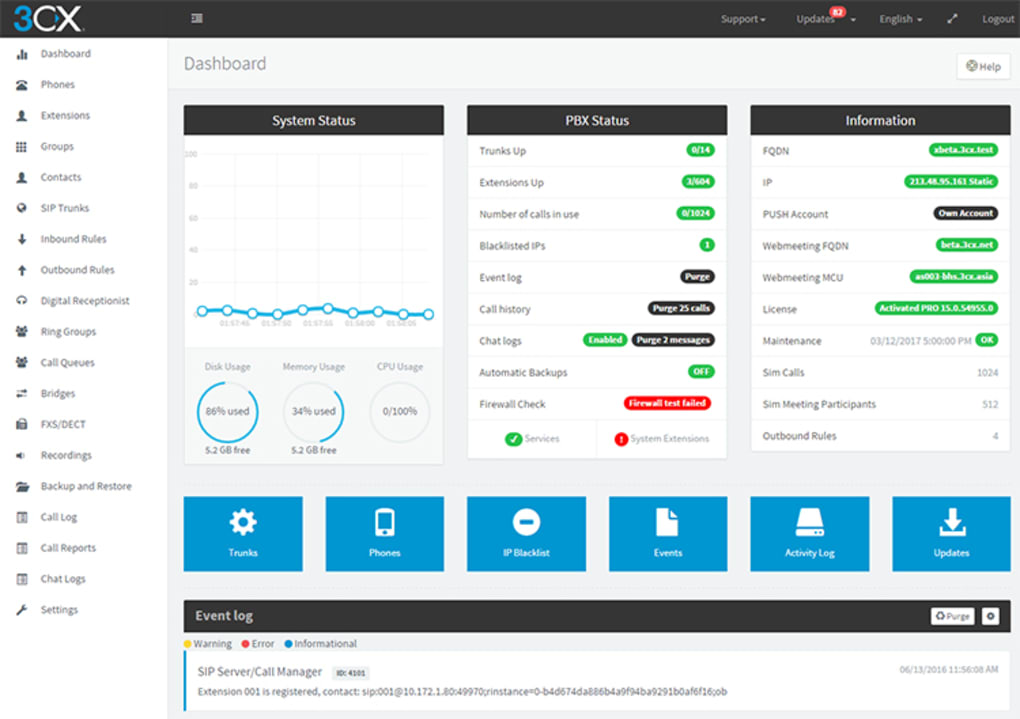
For IT administrators, the platform offers centralized management tools to monitor usage, enforce policies, and manage user permissions. Additionally, the app is regularly updated with new features and security patches, ensuring long-term reliability and performance. With support for both Android and iOS, 3CX ensures that all employees, regardless of device preference, can stay connected.
- Seamless integration with 3CX V18 platform
- End-to-end encrypted messaging and calls
- HD voice and video calling with real-time status updates
- QR code-based authentication for secure login
- Sync with office extensions and phone system
- Customizable presence and status settings
- Automatic sync with calendar and contacts
- Regular security updates and feature enhancements
Installation, Usage, and Compatibility Overview
Getting started with the 3CX mobile app is straightforward, especially for users already part of an organization using the 3CX V18 platform. The app is available for free download on both the Google Play Store and Apple App Store. Once downloaded, open the app and navigate to the “Connect” section. Here, you’ll be prompted to scan a QR code displayed on the 3CX web client or desktop application. This QR code links your mobile device to your organization’s communication network securely and instantly.
After successful authentication, your device will sync with the central system, granting you access to all communication features. The app will automatically pull your contact list, extension numbers, and calendar events from the 3CX platform. From there, you can start sending messages, making calls, or joining video conferences. The interface is clean and intuitive, with clearly labeled icons for messaging, calls, and video. Users can also customize their notification preferences, ensuring they’re alerted only for important communications.
Compatibility is broad: the app runs on Android 6.0 and above, as well as iOS 12 and later. This ensures that most modern smartphones are supported. The app is optimized for both tablets and smartphones, making it ideal for employees who use multiple devices.
However, it’s important to note that the 3CX mobile app is not a standalone solution. It requires a paid subscription to the 3CX V18 platform, which must be set up and managed by your organization’s IT team. Without this backend system, the app will not function.
Additionally, users must interact with the app at least once every seven days to remain active. If inactive for longer, the system will deactivate the account, requiring re-registration.
Pros and Cons: A Balanced View of 3CX
Like any enterprise software, 3CX comes with its strengths and limitations. Understanding these can help organizations and individuals make informed decisions about adoption.
Pros:
- Seamless integration with the 3CX V18 platform for unified communication
- High-quality VoIP calls with end-to-end encryption for security
- Support for messaging, voice, and video—all in one app
- Real-time status updates and presence awareness for better collaboration
- Free to download and available on both Android and iOS
- Regular updates with new features and security patches
- Centralized management for IT administrators
Cons:
- Requires a paid subscription to the 3CX V18 platform (not standalone)
- Account deactivation after 7 days of inactivity
- Dependent on a stable internet connection for optimal call quality
- Setup requires coordination with IT team or admin
- May be overkill for small teams or individual users
Frequently Asked Questions (FAQ)
Is 3CX free to download?
Yes, the 3CX mobile app is completely free to download from the Google Play Store and Apple App Store. However, it requires a paid subscription to the 3CX V18 platform to function, which must be provided by your organization.
Can I use 3CX without a subscription?
No, the 3CX mobile app cannot be used as a standalone tool. It is designed as a mobile extension of the 3CX V18 platform and requires an active subscription to function.
How do I connect my phone to 3CX?
After installing the app, open it and scan the QR code displayed on the 3CX web client or desktop application. This links your device to your organization’s communication system.
What happens if I don’t use the app for 7 days?
If you don’t use the app for seven consecutive days, your account will be automatically deactivated. You’ll need to reconnect by scanning the QR code again to reactivate your access.
Is 3CX secure for business communication?
Yes, 3CX offers end-to-end encryption for messages and calls, secure login via QR code, and two-factor authentication. These features make it a secure choice for sensitive business communications.
Final Verdict: Is 3CX Worth It?
If your organization already uses the 3CX V18 platform, the mobile app is an essential tool for maintaining seamless communication across remote and hybrid teams. It delivers a professional, secure, and feature-rich experience that enhances collaboration and productivity. While the app itself is free to download, its true value lies in its integration with the broader platform—making it a powerful asset for enterprise communication.
For businesses seeking a reliable, scalable, and secure alternative to traditional phone systems, 3CX is a top contender. Its support for VoIP, real-time presence, and automatic sync ensures that employees stay connected no matter where they are. However, it’s not suitable for individuals or small teams without access to the V18 platform.
Download 3CX today and experience enterprise-grade communication on the go—perfect for modern, distributed workforces.







